
Made for migraine · iOS
The migraine diary built for your next neurology appointment.
Log every attack, trigger, and medication in seconds. Walk in with a clear PDF of what’s actually been happening — not a memory that’s already fading.
THE GAP
You’ve been keeping this diary already — in your head.
Memory rewrites your month
By the appointment, a bad fortnight blurs into “a few, maybe?”. The count, the triggers, the timing — the details that matter most are the first to fade.
Triggers hide in the noise
Sleep, weather, stress, caffeine, skipped meals — any one could be involved. Without a dated record beside your attacks, the pattern stays a hunch.
The appointment is short
And the most useful thing you could bring — what actually happened, over months — is scattered across your memory and a few half-kept notes.
1 in 7
people live with migraine
12 min
average neurology visit
11
triggers you can log
TRY IT
This is the entire logging flow.
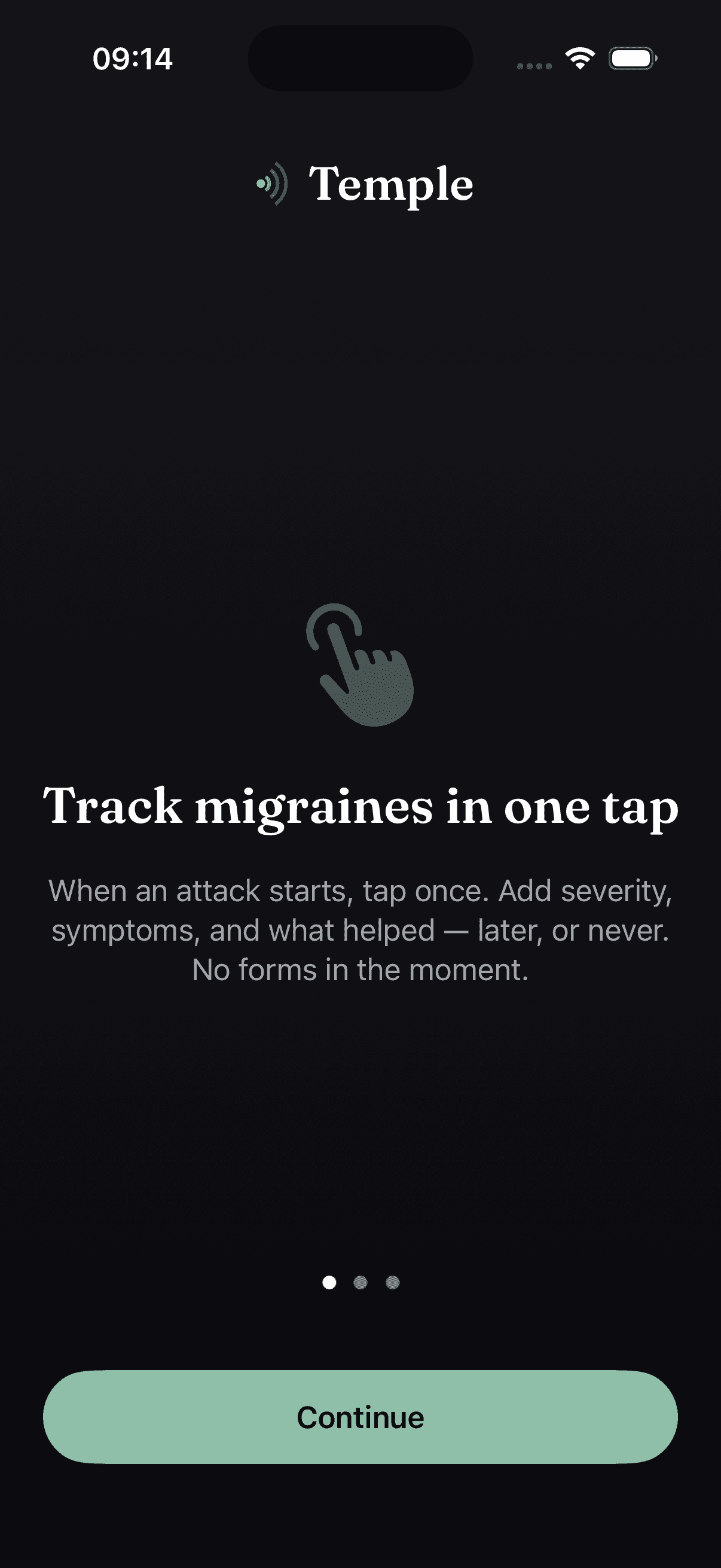
No forms. No sheets. No "how are you feeling today?" screens. A chip per symptom — tap once for mild, again for moderate, again for severe. The numeral never hides.
Go on — tap the chip. That’s a real one, severity and all.
severity 0 of 3 — none
THE PATTERN
Every migraine day is a data point.
Flip between an episodic month and a chronic one. Same instrument, same scale — the bars just tell the truth either way.
Fifteen or more migraine days a month is what ICHD-3 calls chronic migraine. This is the count worth showing a neurologist.
HOW IT WORKS
Log. See. Show.
01
Log
Log each attack in one tap — severity, symptoms, triggers, medication. Under thirty seconds, whenever it happens.
02
See
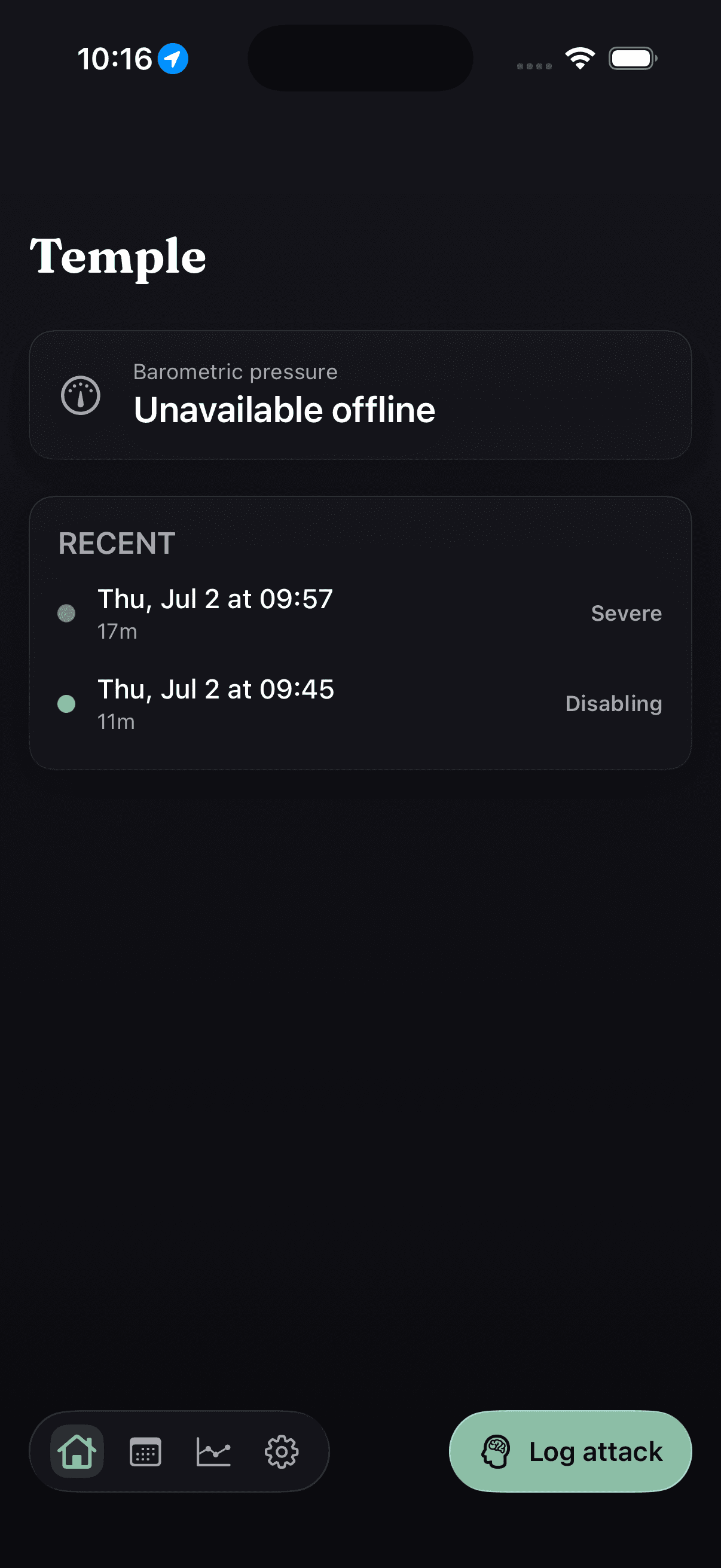
Attacks and triggers on one timeline. Migraine days a month. Barometric pressure beside each day — your real pattern, not a guess.
03
Show
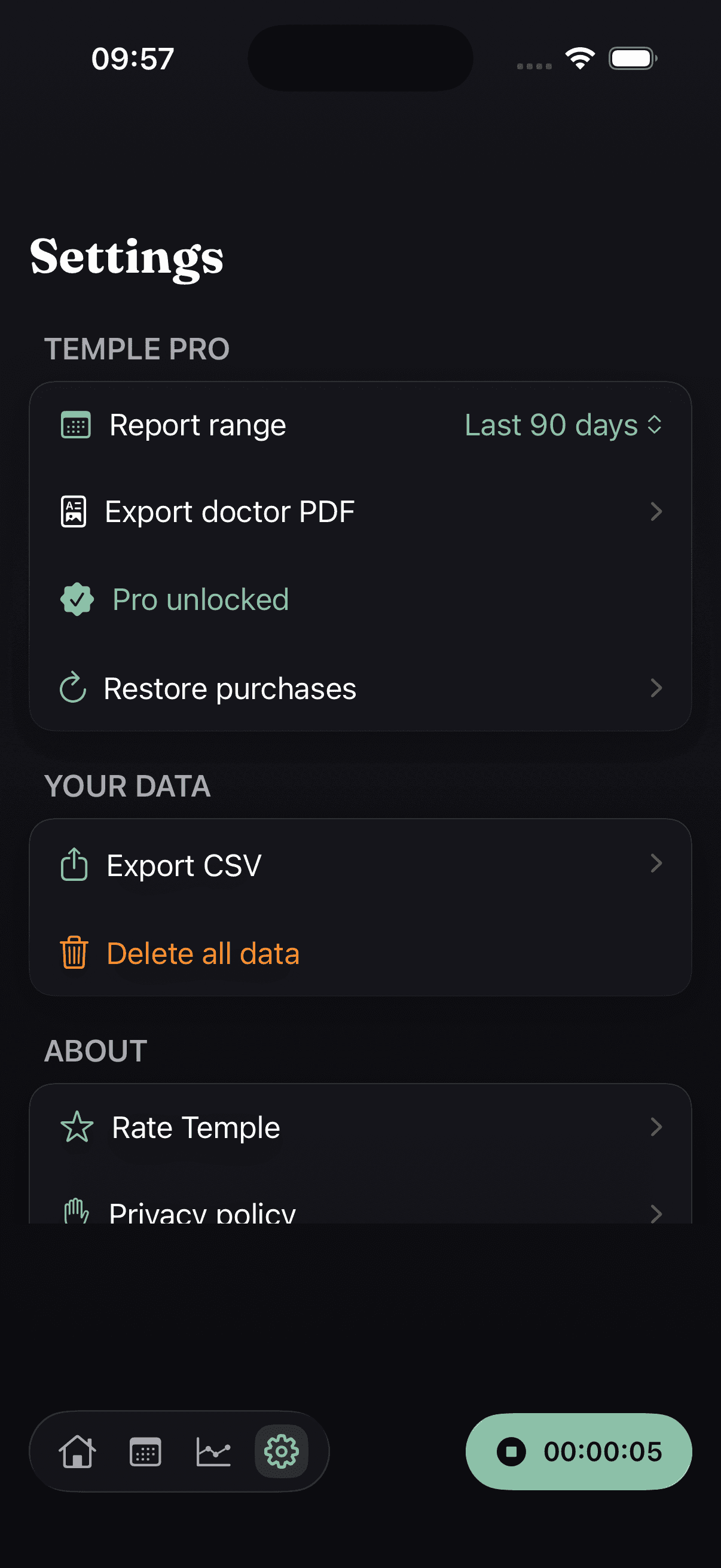
Pick 30, 90, or 180 days and export a doctor-ready PDF. Frequency, triggers, medication days — the appointment, prepared.
MIGRAINE DAYS
Episodic or chronic, counted honestly
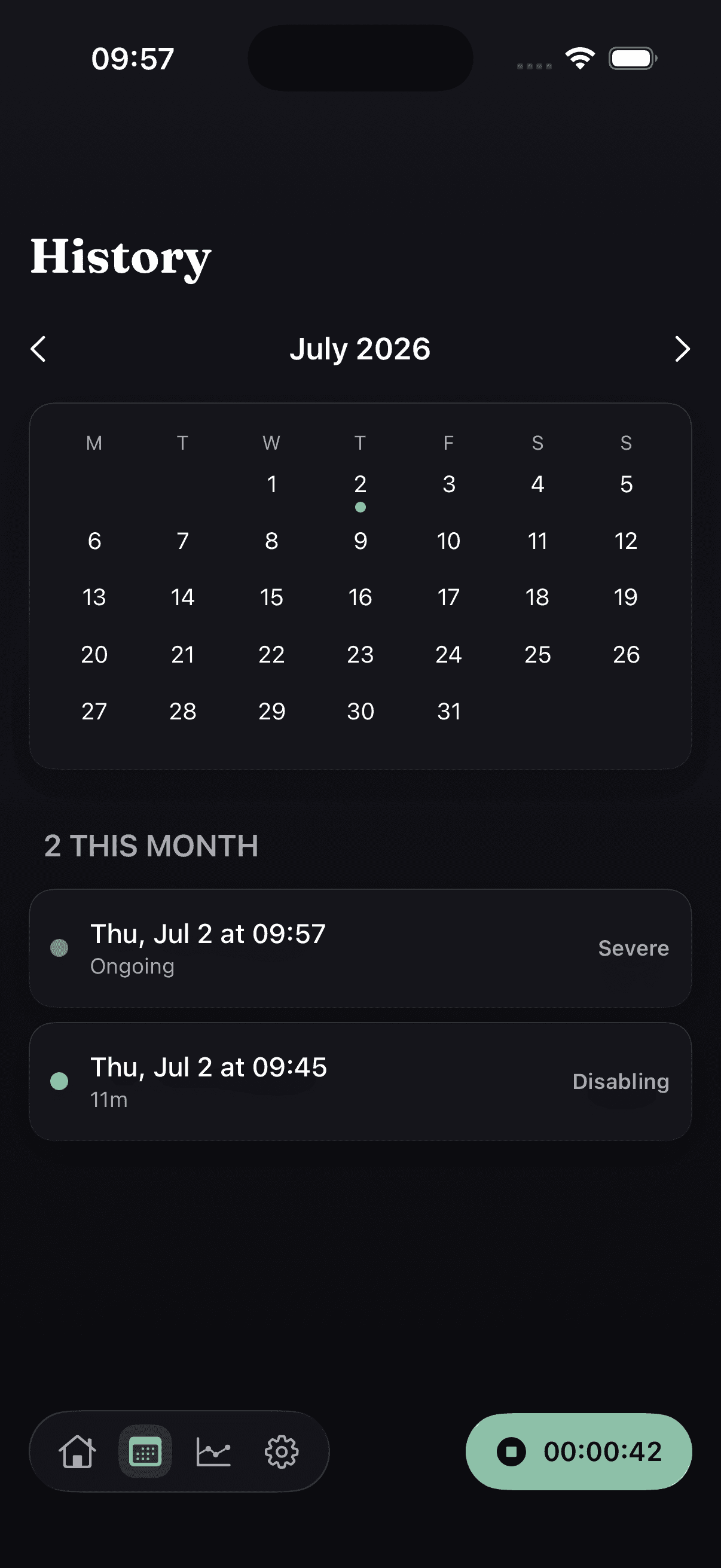
Each month is a bar sized by your migraine days, with the episodic-to-chronic line (fifteen days, per ICHD-3) drawn behind it. A light month draws a low bar; a heavy one draws a tall one. Both are data — and a count, never a diagnosis.
TRIGGERS
The associations worth spotting
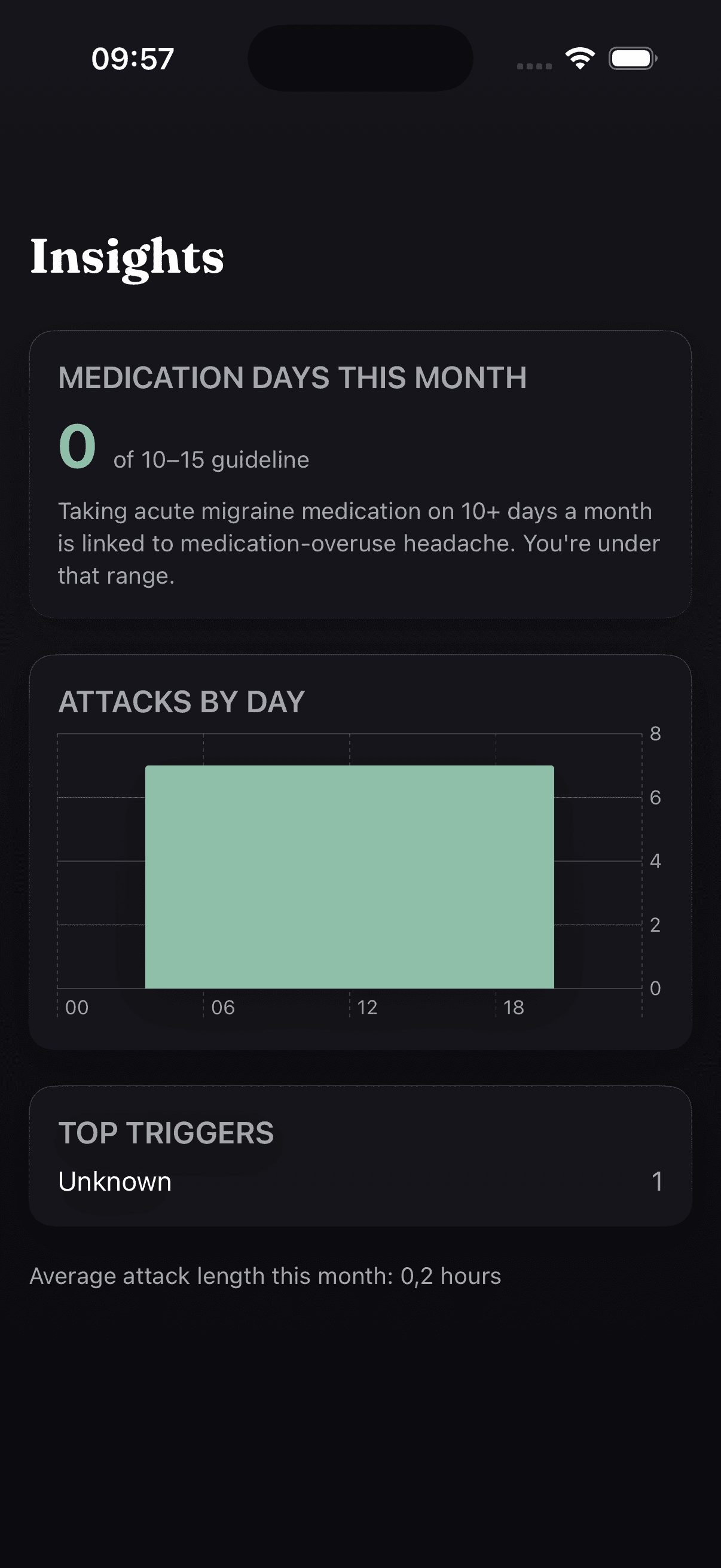
Poor sleep, weather, stress, caffeine, skipped meals — Temple lays your triggers on the same timeline as your attacks, so what tends to appear together becomes visible over months. It shows association, never proof of cause.
DOCTOR REPORT
A PDF that reads like a clinical letter
Attack frequency versus your prior period, symptom and trigger patterns, your medication-day count — typeset, restrained, credible. Hand over your phone or share the file.
9
symptoms, one tap each
11
triggers you can log
3
taps to max severity
0
accounts, servers, ads
NEGATIVE SPACE
What Temple refuses to be.
—Not a diagnosis
Temple never tells you what you have. It records; your clinician interprets.
—Not a forecast
It won’t predict your next attack. It shows what already happened, honestly.
—Not a feed
No community tab, no streaks, no engagement mechanics. Open, log, leave.
—Not a data business
No account, no server, nothing to harvest. The diary is the product.
APPLE-NATIVE
Deep in the platform, quiet at midnight.
Siri and Shortcuts
Log an attack by voice, or from a Lock Screen Shortcut — capture it the moment it starts.
Home-screen widgets
Recent migraine days at a glance, and one-tap logging without opening the app.
Art-directed dark mode
Not an inversion — a separate low-light palette for logging through an attack.
On-device, full stop
Your diary is a file on your iPhone. Delete the app, the data is gone.
PRICING
Gate the output, never the input.
Free, forever
The diary
- Log every attack, symptom and trigger — unlimited
- Migraine-days count and history
- Barometric pressure on every day
- Widgets, Siri and Shortcuts
- No account, fully on-device
$7.99 once
The appointment
$7.99 one-time · no subscription, ever
- Doctor-ready PDF export, any window
- Medication-day and MOH view
- Unlimited history and trigger trends
- Everything in Free, of course
One payment, yours forever — no subscription, no renewals, no upsells. Unlock it once and every future update is included.
FAQ
Fair questions.
Is my data private?
Yes — everything you log stays in a local file on your iPhone. Temple is offline-first: there’s no account, no cloud of ours, and no server that could see or leak your health data. Delete the app and the diary is gone.
Does it replace my doctor?
No, and it never will. Temple is a diary, not a medical device — it doesn’t diagnose, treat, or predict migraine. What it does is prepare you for the appointment with clean data — attack frequency, triggers, medication days — so your short visit is spent on decisions, not on reconstructing the last three months from memory.
Can it tell me the weather will trigger an attack?
No — Temple never predicts attacks. It records the local barometric pressure next to each day you log, because many people find weather changes are associated with their migraine. That puts the association in front of you as data to discuss with a clinician; it isn’t a forecast.
Is it a subscription?
No. Temple is a one-time purchase — $7.99, once, and it’s yours forever, with every future update included. No monthly fee, no annual renewal, no upsells. Logging your attacks, symptoms and triggers is free; the one-time unlock adds the doctor-ready PDF export and the medication-day view.
When does it launch?
Soon. The App Store button lights up the day it ships — until then, everything you see here is the real, finished app.
Is there an Android version?
No. Temple is Apple-native by design — Swift, home-screen widgets, Siri and Shortcuts, on-device storage. Doing one platform properly is the whole point.